
For CAS (client advisory services) teams
The depreciation JE, done.
Book depreciation from the same asset register your tax team already keeps. A balanced entry for whatever period you book, as an import file for the client’s GL, tied to the trial balance.
Rather try it yourself? Start with your first client free →
Entered once
One asset register
Cost, in-service date, and GL account shared by both sides
Tax treatment · the return
Federal and 50 states
MACRS, Section 179, bonus, state add-backs
Form 4562 and 4797
Mapped line by line, per activity
Export to tax software
- UltraTax CS
- Lacerte
- ProSeries
- CCH Axcess
- CCH ProSystem fx
- Drake
- GoSystem
- ONESOURCE
Book treatment · the close
Book depreciation
Its own method, life, and salvage
Journal entry
Any month or the full year, disposals included
Import file for the client’s GL
- QuickBooks Online
- Sage Intacct
- Xero
Tied to the trial balance
GL rollforward, per account, to the penny
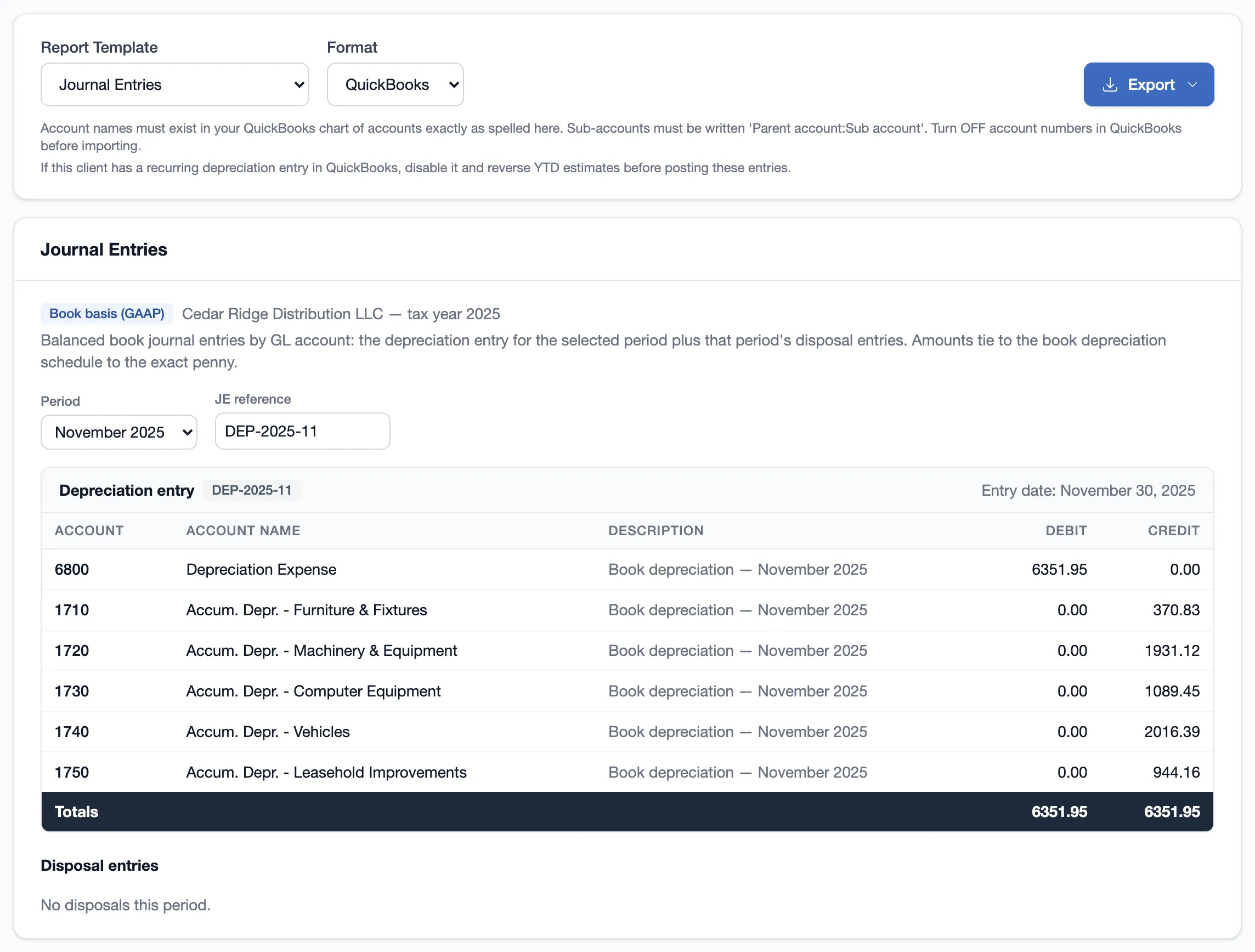
The journal entry
Any month, or the full year.
Pick any month or the full year. DepreciationPro builds a balanced depreciation entry from each asset’s book record, with that period’s disposal entries below it. Tax figures never enter the entry, and an asset that isn’t set up is named, not posted to a default account.
Journal Entries report
Depreciation expense and accumulated depreciation by GL account, plus disposal entries for cost, accumulated depreciation, gain or loss, and proceeds. Exports to Excel and PDF for the workpapers.
QuickBooks, Sage Intacct, or Xero file
The same entry as an import file in each ledger’s own format and column headers. It’s a file, not a live sync. You review it and post it in the client’s GL.
A warning before you post twice
Every export is logged. Open a period you already exported and you see who exported it, when, the journal number, and whether the amounts changed since. QuickBooks won’t catch the duplicate. DepreciationPro does.

The tie-out
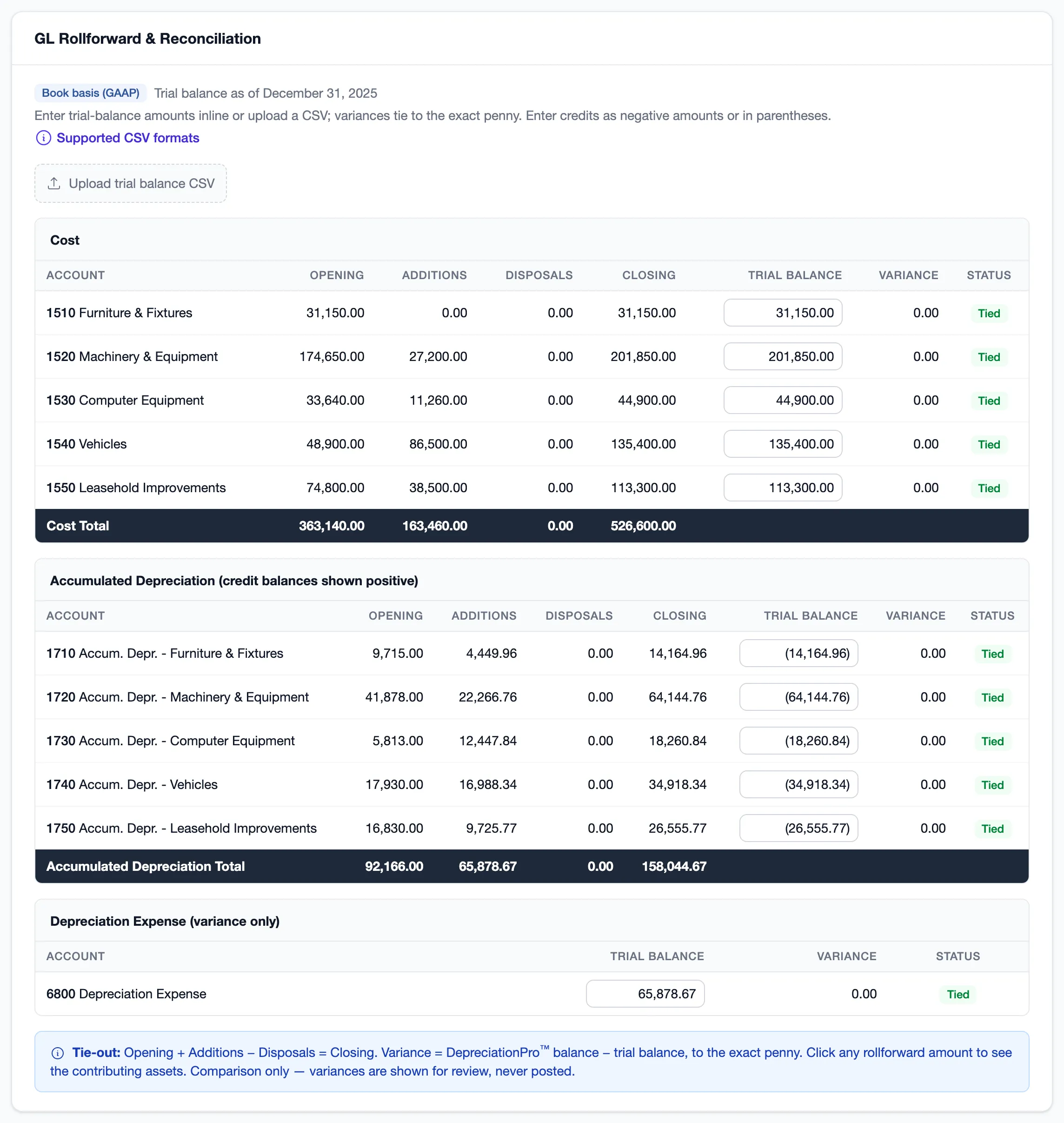
Tied to the trial balance, to the penny.
The GL Rollforward puts opening, additions, disposals, and closing for each fixed asset account next to the client’s trial balance. Upload the TB as a CSV, including the debit and credit layout QuickBooks exports, or type the balances in.
A row reads Tied only at a variance of exactly 0.00. No tolerance band. Click any number to see the assets behind it.
Book and tax
One register. Nobody overwrites anybody.
In most firms, CAS keeps one fixed asset list and tax keeps another, or both teams edit the same file and step on each other. DepreciationPro keeps a book treatment and a tax treatment on every asset. Cost and in-service date are shared, so nobody keys an asset twice.
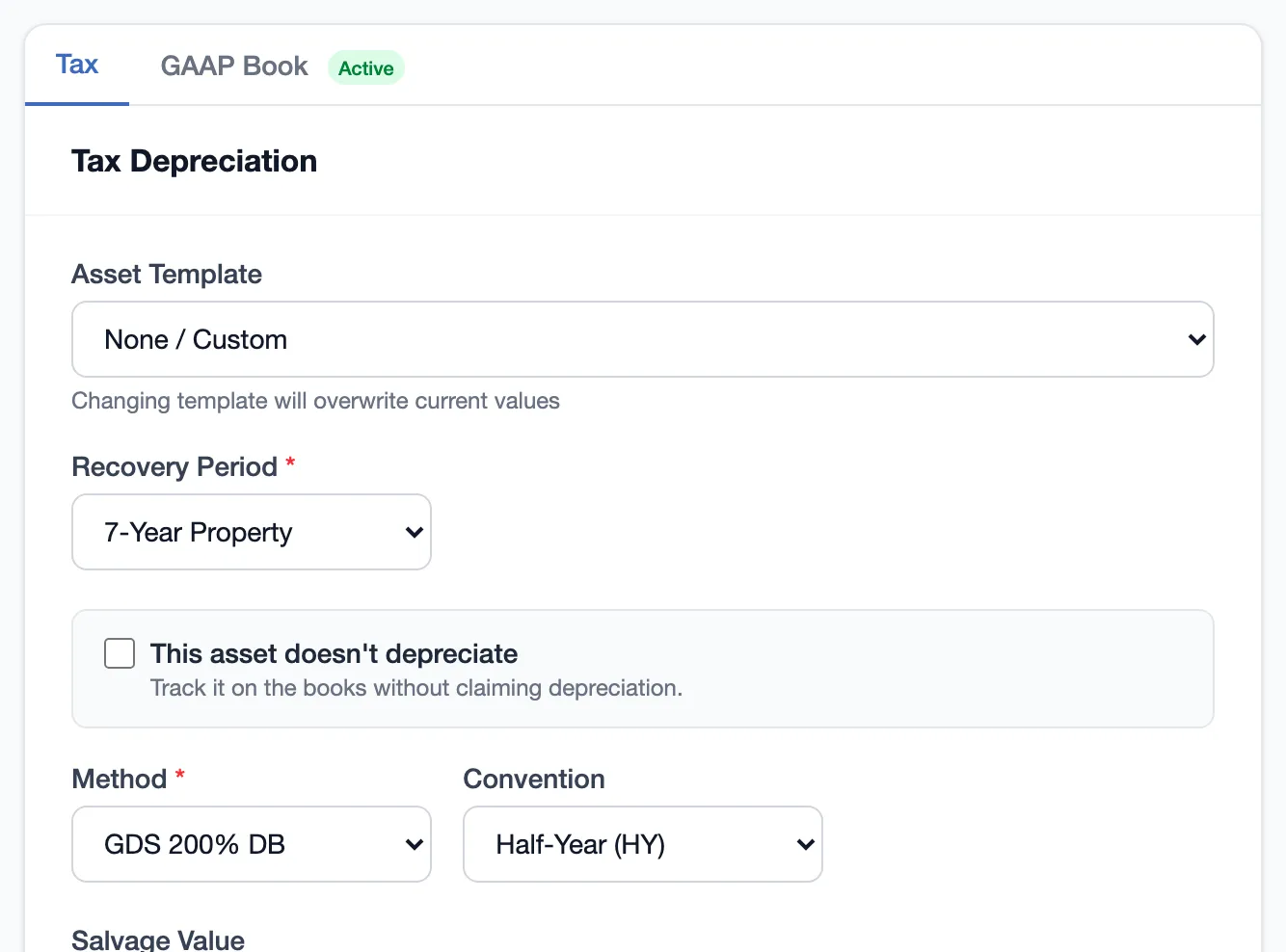
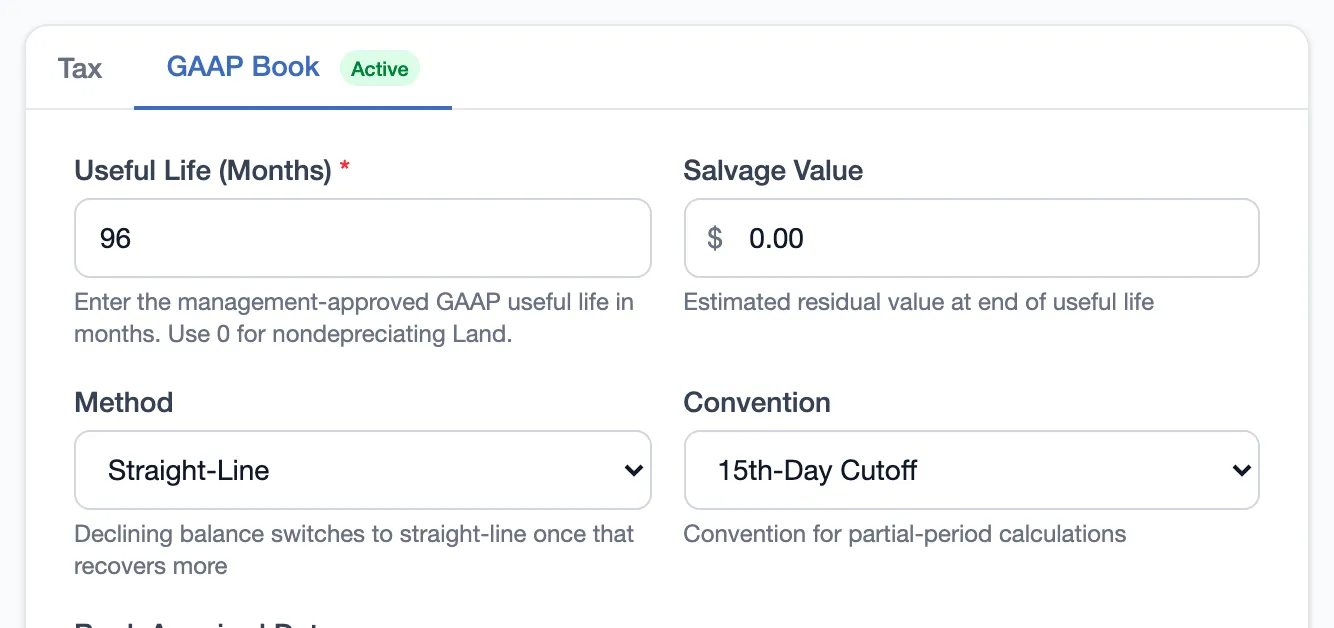
Separate treatments
CAS sets book life, method, and salvage. Tax works MACRS, Section 179, bonus, and state. A change on one side never rewrites the other.
Book methods you use
Straight-line, declining balance, sum-of-the-years-digits, or MACRS when the client books on a tax basis. Each with its own life, salvage, and dates.
Tax vs. book, already built
Temporary and cumulative differences per asset for ASC 740 and the Schedule M-1, so the tax team isn’t rebuilding your book schedule in a spreadsheet.
Getting started
Bring the book schedule you already have.
Export the book schedule from your current software and tell DepreciationPro it’s a book file. Lives in years convert to months, the book history carries across, and it rolls forward with the client every year. Set up each GL account once and every asset on it is ready for the entry.
See it on one of your clients.
Book a 15-minute call, or run your first client free. No credit card, no expiration.